


myPennMedicine
4.4559.00 Reviews
App Specs
- Version
- 11.8.3
- Updated On
- License
- Free
- Downloads
- 100,000+
- Developer
- Penn Medicine
- Categories
- Medical
- Platform
- Android
Screenshots
 Analysis by AppCompare
Managing healthcare is rarely convenient, especially when a question appears after an appointment, a prescription needs checking, or a test result is expected. In my experience, myPennMedicine is most useful when I treat it as a secure patient-access tool rather than a complete replacement for speaking with a medical office. Developed by Penn Medicine, this free medical app gives Penn Medicine patients a practical way to reach their personal records and handle everyday parts of care from a phone.
My overall view is positive, but it depends heavily on where you receive care. If Penn Medicine is your healthcare provider, the app can reduce the need to search through paperwork, call for routine information, or wait until you are back at a computer. If you are not a Penn Medicine patient, its value is limited from the start. That is the central trade-off: it is focused and useful within one healthcare network, not a general medical organizer for everyone.
What using myPennMedicine feels like in everyday care
The app’s purpose is clear from the first use: it brings personal medical information into a protected digital space for eligible patients. I find that focus reassuring. Many health apps try to combine symptom tracking, wellness coaching, medication reminders, exercise plans, and educational content. myPennMedicine takes a narrower route. It is about access to your relationship with Penn Medicine, which makes it easier to understand what the app is meant to do and what it is not meant to do.
A realistic example is the period after a clinic visit. I might want to review what was discussed, check information connected with the visit, or look at a result without making another phone call. Having that information available on the phone can be especially helpful when I am away from home or preparing for a follow-up conversation. I also appreciate that a patient portal can give me a more active role in keeping track of my own care instead of relying entirely on printed instructions.
The benefit is not flashy. It is the small reduction in friction that comes from having healthcare information in one place. When I am anxious about a medical issue, I do not want to reconstruct a timeline from emails, paper documents, and memory. A dedicated Penn Medicine app gives the process a more direct path, provided the information I need is connected to that healthcare system.
The app is rated for Everyone, which fits its purpose as a patient-access service rather than an entertainment or specialist clinical tool. It is also free to download, so the main question is eligibility and usefulness, not whether I want to pay for another subscription. Its current version is 11.8.3, and it requires an operating system version of 11 or later. That requirement is worth checking before installation, particularly if I keep an older phone for health-related tasks.
Why the medical-record focus matters
Medical records are different from ordinary notes because they can influence future conversations with clinicians. A patient portal can help me prepare more accurately for an appointment, remember the timing of a previous visit, or identify information I want clarified. I would not use the app to diagnose myself, but I would use it to become a better-informed participant in a discussion with a healthcare professional.
Worth Reading Before You Choose

EA SPORTS FC Mobile 26 Is a Bigger Football Game, but It Takes Time

Flipboard Shows What News Apps Must Do Beyond the Feed

Switching to Android Auto Means Rethinking Your Driving Routine

Google Calendar Makes a Crowded Week Easier to Manage

Ludo King Makes the Most of the Minutes Between Plans

Baby Panda World Brings Quick Play to Modern Phones, but Its Game Library Feels Busy
That distinction is important. Reading a result or reviewing a record can raise questions rather than answer them. MyPennMedicine is strongest when I use it as a reference point before contacting the appropriate care team. It is not a substitute for urgent medical attention, and I would never delay emergency help while waiting for a portal response or trying to interpret information on my own.
One useful habit is to open the app before an appointment and note the specific items I want to discuss. Instead of saying that something “looked unusual,” I can refer to the record or result that prompted the concern. This makes the visit more focused and reduces the chance that I forget an important question. The app becomes more valuable when I use it as preparation, not just as a place to glance at information after the fact.
Where it compares well with ordinary alternatives
The usual alternatives are calling the office, waiting for mailed paperwork, using a desktop browser, or keeping personal notes. Calling remains important when a situation needs immediate clarification or when the issue is too complicated for a digital portal. Paper can be useful for people who prefer physical records, but it is easy to misplace and difficult to search. A browser portal may offer similar access, yet a phone app is more convenient when I am already away from a desk.
Compared with a generic health-record folder on my phone, myPennMedicine has a meaningful advantage: the information is tied to the Penn Medicine patient relationship rather than being manually copied by me. That reduces transcription mistakes and saves time. On the other hand, a personal folder can hold documents from several providers, pharmacies, and hospitals. If my healthcare is spread across different systems, the dedicated app may cover only part of the picture, while a broader personal record-keeping method may give me a more complete overview.
This is one of the app’s most important limitations and also one of its clearest boundaries. It is not automatically the best single place for every medical document I possess. I may still need to keep outside records, specialist paperwork, or information from another healthcare organization separately. For someone whose care is entirely or mostly within Penn Medicine, that limitation is less troublesome. For someone managing several unrelated providers, it becomes more noticeable.
Small workflows that make it more useful
I get more from the app when I build it into a simple routine. After a visit, I can review the available information while the conversation is still fresh, write down anything that seems unclear, and prepare a short list for the next contact. This is more reliable than assuming I will remember everything weeks later.
Another practical use is preparing for care while traveling locally or visiting family. I would not assume that every clinician outside Penn Medicine can work directly with the app, but having access to my own information can help me describe my recent care more accurately. I can also use the app as a prompt to check whether I have the details I need before leaving home, rather than discovering during a visit that an important piece of information is elsewhere.
A third insight is that convenience should not be confused with completeness. I would not simply open the app once and assume my entire medical history is represented in the exact format I need. I would compare what I see with my own questions and with information from other providers. That habit is particularly useful for people who have changed doctors, received care outside the Penn Medicine network, or are helping coordinate care for a family member.
I also recommend separating routine access from urgent decisions. The app can support preparation and record review, but a rapidly worsening symptom calls for the appropriate medical service, not a slow digital workflow. This sounds obvious, yet the presence of medical information on a phone can create a false sense that every problem can be handled inside the same app.
The friction I would want new users to expect
The first source of friction is the provider limitation. The app makes sense only when I am a Penn Medicine patient with the appropriate access. Someone looking for a general health app, a universal record vault, or a tool for comparing providers will likely be disappointed. I would check that relationship before downloading it, rather than judging the app based on features that belong to a different type of product.
The second issue is that digital access does not remove the complexity of healthcare itself. Records can be detailed, medical language can be difficult, and information can lead to follow-up questions. The app may make access easier, but it cannot guarantee that every entry will be immediately understandable. I still need to ask a clinician for context when something is confusing.
There is also a practical device consideration. Because the app requires operating system version 11 or later, owners of older devices may need to update their phone or use another route to reach their care information. That is not a flaw in the medical purpose of the app, but it can be a real barrier for people who deliberately keep older hardware or have limited storage and update flexibility.
My biggest criticism is therefore not that the app tries to do too little. Its narrow scope is sensible. The concern is that users may expect a patient portal to solve every coordination problem. It cannot replace records from unrelated providers, explain every clinical term, or take over urgent communication. I would recommend it with that expectation set clearly.
Who should use it and who should choose something else
myPennMedicine is a strong fit for Penn Medicine patients who prefer handling routine record access from a mobile device. It is particularly helpful for people who attend appointments regularly, want to prepare questions before visits, or dislike depending on paper documents. Caregivers may also find a patient-access app useful when they are helping an eligible family member stay organized, although access should always follow the appropriate patient and account arrangements.
It can also suit people who are comfortable checking information themselves but still understand the limits of self-service. The best users are not those who want the app to make medical decisions for them. They are people who want a more convenient starting point for reviewing their own care and communicating more clearly with professionals.
I would skip it if my providers are outside Penn Medicine, if I need one tool that combines records from many unrelated systems, or if I am searching for a symptom checker and wellness coach. A general health organizer may be better for collecting information from several institutions, while direct phone contact is better for urgent or complicated questions. Someone who strongly prefers paper may also gain little from installing another digital access point.
The app has a 4.4 average from around 1.2 thousand ratings, with more than 500 reviews, and it has passed the 100 thousand install mark. Those figures suggest that it has found a substantial audience among people looking for Penn Medicine access, but they do not change the central question I would ask: does my care actually run through this provider? If the answer is yes, the app’s focused design works in its favor. If the answer is no, popularity is not relevant to my situation.
My final assessment
I see myPennMedicine as a practical patient portal rather than an ambitious all-purpose medical app. That is a compliment. Its strongest quality is that it addresses a real everyday problem: reaching personal Penn Medicine information without depending entirely on office calls, paper records, or a desktop computer. The value appears in repeated small moments—preparing for a visit, checking a record, organizing questions, and keeping a clearer connection with ongoing care.
Its weaknesses are equally straightforward. It is tied to Penn Medicine, it does not replace professional advice, and it may not provide a complete picture for people who receive care across multiple healthcare systems. The operating-system requirement can also exclude older phones. None of these points makes the app poor; they simply define its proper role.
For an eligible patient, I would recommend installing it and using it as one part of a broader healthcare routine. I would keep outside records organized separately, write down questions before appointments, and treat anything urgent as a reason to contact the right medical service directly. For me, that is the clearest verdict: myPennMedicine is worth having when your care is with Penn Medicine and you want dependable mobile access to your own records, but it is not the right choice for a universal medical-management solution.
Pros
- Secure access to appointments
- test results
- messages
- and medical records.
- Prescription refill requests can be submitted directly through the app.
- Supports video visits for eligible appointments without needing another platform.
- Family access features help manage care for authorized dependents.
- Health reminders and notifications can help users stay informed about care.
Cons
- Some features require an active Penn Medicine account and patient verification.
- Video visits depend on device compatibility and a reliable internet connection.
- The app is mainly useful for Penn Medicine patients
- limiting its wider appeal.
- Certain records or results may appear only after provider review and release.
- Notifications may contain sensitive health information on a shared device.
FAQs for myPennMedicine
What is myPennMedicine used for?
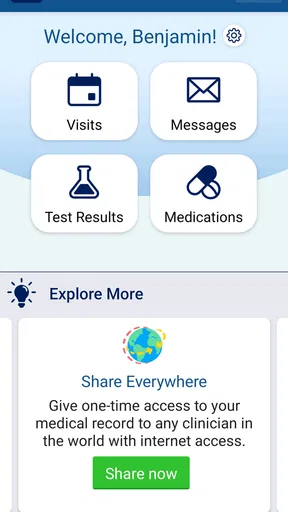
myPennMedicine is the official patient portal app for Penn Medicine. After signing in, patients can review parts of their medical record, see test results, manage appointments, request prescription renewals, view bills, receive care reminders, and communicate securely with participating care teams. The exact tools available may depend on your Penn Medicine location, provider, type of visit, and whether your records have finished updating.
Who can use the myPennMedicine app, and how do I sign in?
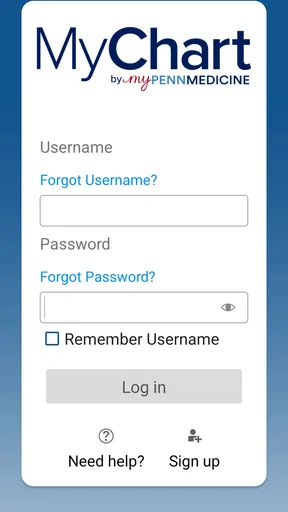
The app is intended for Penn Medicine patients and, in some cases, authorized proxies or caregivers managing another person’s care. You generally need an active myPennMedicine account and your login credentials. New users may be able to activate access with an enrollment code or through the registration options provided by Penn Medicine. For security, the app may also support device authentication, but you should never share your password or verification codes.
Can I schedule appointments and communicate with my doctor through myPennMedicine?
In many cases, myPennMedicine allows you to request or schedule eligible appointments, review upcoming visits, complete pre-visit tasks, and receive appointment instructions. You can also send secure messages to participating providers, although messaging is not designed for emergencies and may not receive an immediate response. Availability can vary by department, provider, appointment type, and whether online scheduling is enabled for your account.
Can myPennMedicine show test results, medications, and medical records?
The app can provide access to available portions of your Penn Medicine health information, including laboratory results, visit summaries, medications, allergies, immunizations, and clinical notes when released through the portal. Results may appear at different times, and some information can be delayed while a clinician reviews it. If something looks incorrect, contact the appropriate Penn Medicine office rather than relying on the app alone.
Is myPennMedicine free, and is it safe to use for personal health information?
myPennMedicine is generally available at no additional charge to eligible Penn Medicine patients, although normal mobile data or internet charges may apply. It uses account authentication and secure communication features to help protect sensitive health information. You should keep your phone updated, use a screen lock, avoid public Wi-Fi for private tasks when possible, and sign out or enable device security if other people can access your device.


